
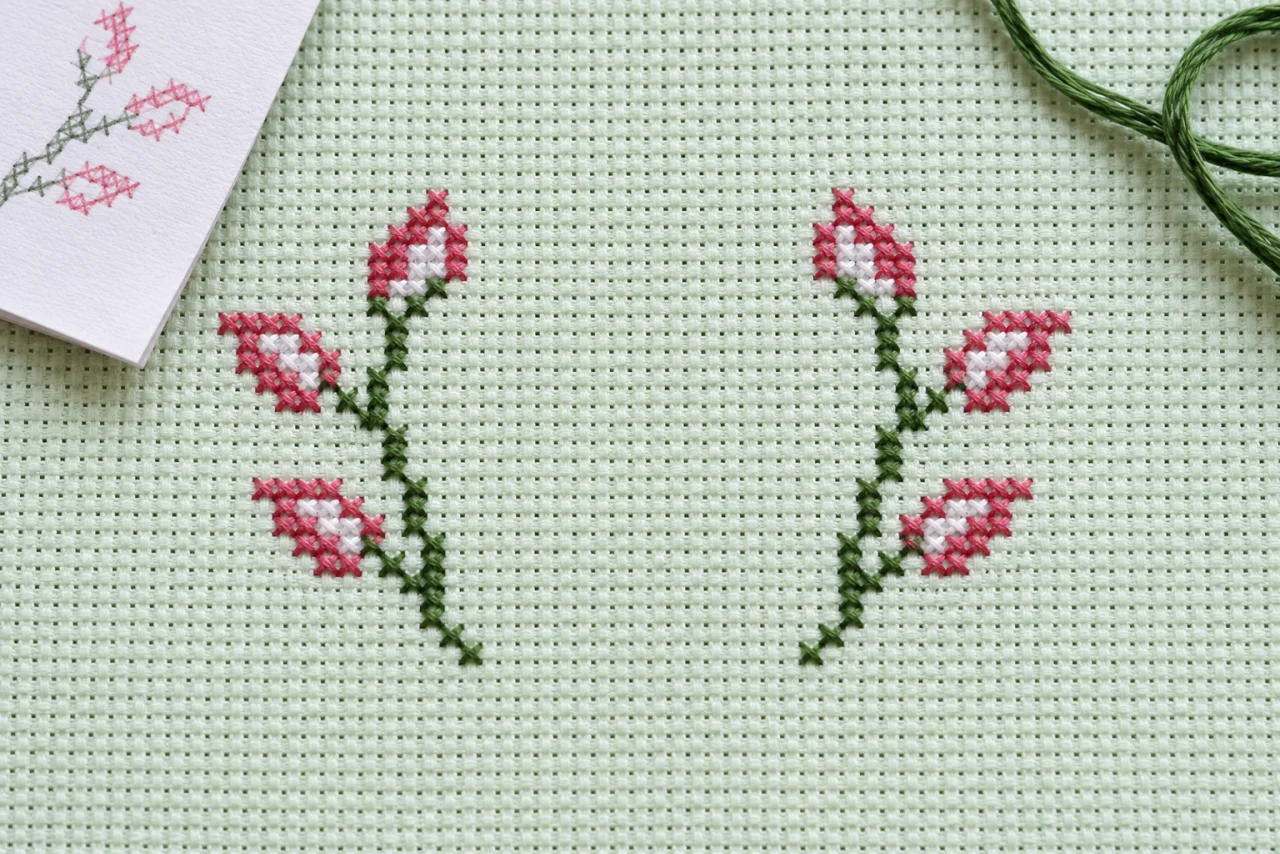
We'll use an original 5×4-cell pennant with a little pink detail. Its uneven shape makes it easy to see which operation happened.
Select the motif
On graph paper, draw a rectangle around the motif, including any blank cells you want to preserve as part of its spacing. Copy it onto a new grid. In chart software, duplicate the file or select and copy just that rectangle before using its transform command.
Check whether a blank column belongs to the motif’s spacing. If you include it in the selection, it will move to the opposite side when mirrored. If it belongs to the space between motifs, leave it outside the selection and add the gap after transforming.
Our box is five columns by four rows. The left-hand vertical line is its pole. A teal flag extends to the right and has one pink cell near its tip.

Open color-only views · Download all three grids

Mirror from left to right
Number the five columns from 1 to 5. Copy the contents of column 1 into column 5, column 2 into column 4, and column 3 back into column 3. Keep every cell on the same row. Blank cells move by the same rule.
The chart uses X for DMC 3812, Very Dark Seagreen, and O for DMC 3689, Light Mauve. Blank cells remain unstitched.
The pennant's pole now sits at the right-hand edge and its tip faces left. It still occupies 5×4 cells and has the same crosses.
To mirror from top to bottom instead, reverse the order of the rows while keeping each row's cells in their original left-to-right order. The bottom row becomes the top row. This is a different operation; it will not make this pennant face the other way.
Rotate the motif a quarter turn clockwise
Set up a new box four columns wide and five rows high. The old height becomes the new width, and the old width becomes the new height.
The original top row becomes the new rightmost column, running from top to bottom. The second row becomes the next column to its left. Continue until the original bottom row becomes the new leftmost column.
One way to check the direction is to follow the original top-left cell. A clockwise quarter turn puts it at the top-right corner of the new box. A counterclockwise turn would put it at the bottom-left corner. For a half turn, turn twice through a quarter circle, or reverse both the row order and the contents of each row.
When placing the rotated pennant back into the larger design, leave room for its new 4×5 box. Copying it into the old 5×4 box could cut off a row even though the same number of crosses is present.
Keep lines and letters clear
For a motif made entirely of full crosses, move the filled and blank cells by the same rule. Backstitch and fractional stitches also have endpoints and direction. Check that every line still meets its intended hole after the software operation. A line clipped by the original selection boundary needs repairing before you paste the motif.
Keep text out of a reflection unless you want reversed letters. If your motif has a word beneath it, transform the picture separately and reposition the normally readable word afterward. A copied signature or date needs the same attention.
You can use the transformed cell positions while keeping the same top-leg slant in your actual cross stitches. The rotated shape does not require a patch of differently crossed thread.
Put the new motif in place
Place the transformed box from a fixed point in the larger chart, leaving the gap you want around it. Include its internal blank cells when you copy it.
For two pennants facing each other, use the original and its horizontal reflection. With a two-cell blank gap between their five-cell boxes, the pair occupies 12 cells across. Check the poles and pink details on the chart before starting to stitch.
Software controls vary. Stitch Fiddle's mirroring help describes selection and mirror commands on computer and tablet, while its help currently excludes that feature on phones. The graph-paper method works from the same cells regardless of which editor you use.